
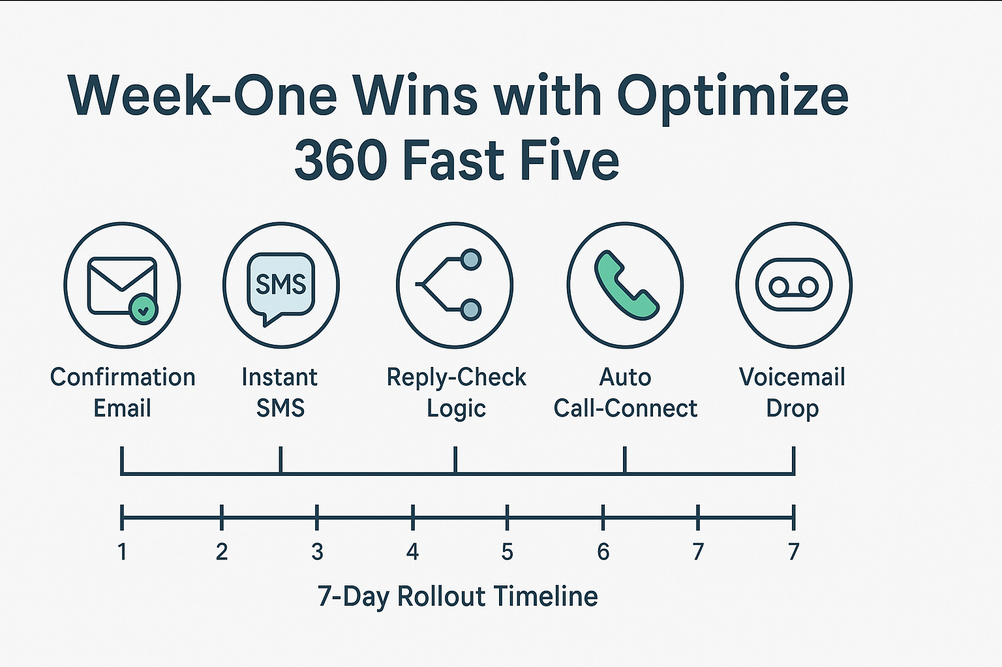
Week‑One Wins with Optimize 360 Fast Five
“In sales, the first minute of response buys you the next hour of attention.”
Key Takeaways
- Five automated touches deploy in under seven days.
- Many businesses observe up to 3× higher contact rates once Fast Five is active (results vary by industry and lead quality).
- No additional staff required—Optimize 360 orchestrates timing, compliance, and routing.
- Fully white‑labeled interface keeps your agency front‑and‑center.
- Built‑in analytics surface early performance insights.
1. Why 7 Days Matters
An MIT study shows that responding to a web lead within 60 seconds can improve qualification odds dramatically compared to waiting 30 minutes. Lead interest fades quickly; launching Fast Five in a single week means you capture attention while it’s still warm.
2. Fast Five in a Nutshell
| Touchpoint | Purpose | Immediate Benefit |
|---|---|---|
| Confirmation Email | Reassure the lead, outline next steps, share resources. | Builds trust and professionalism. |
| Instant SMS | Send a friendly “thanks” text that bypasses spam folders. | Creates a high‑engagement channel. |
| Reply‑Check Logic | Route “yes” replies to a booking link; flag others for human follow‑up. | Catches motivated prospects quickly. |
| Auto Call‑Connect | Calls your salesperson the moment a lead opts in. | Enables real‑time conversations. |
| Voicemail Drop | Leave a warm prerecorded message when calls aren’t answered. | Delivers consistent brand voice. |
3. 7‑Day Rollout Plan & Quick Wins
| Day | Action | What the Client Experiences | Quick Win |
|---|---|---|---|
| 0 | Connect forms / CRM to Optimize 360. | Nothing changes outwardly; data begins to flow. | Centralized lead visibility. |
| 1 | Launch branded Confirmation Email. | Every new inquiry gets an immediate, polished response. | Credibility boost. |
| 2 | Activate Instant SMS. | Lead receives a friendly text within seconds. | Personal rapport. |
| 3 | Enable Reply‑Check Logic. | “Yes” replies see a booking link; others flagged for review. | Faster path to appointments. |
| 4 | Configure Auto Call‑Connect. | Sales rep’s phone rings when interest peaks. | Live conversations. |
| 5 | Record & map Voicemail Drop. | Missed calls still receive a warm message. | Consistent follow‑up. |
| 6 | Perform internal QA & set alerts. | Seamless experience for real leads. | Launch‑ready confidence. |
| 7 | Go live & review dashboard snapshot. | Stakeholders view first‑week metrics. | Early evidence of impact. |
4. Metrics to Watch in Week 1
- Email open rate: aim for 60 % or higher.
- SMS reply rate: 20–30 % is a healthy starting point.
- Call‑connect success: track answered vs. missed calls.
- Voicemail listen‑through: measure message completion where supported.
- Calendar bookings: monitor appointments attributed to Fast Five.
Tip: Optimize 360 displays these KPIs on a single dashboard for quick, at‑a‑glance insights.
5. Common First‑Week Tweaks
- Refine SMS tone based on early reply patterns.
- Update voicemail script if prospects disengage early.
- Adjust call windows to honor local time zones.
- A/B test booking‑link placement within SMS or email sequences.
- Review compliance language to maintain carrier approval.
6. Next Steps
If you’d like to see Fast Five in action, book a brief demo and we’ll configure your first touchpoint live. A complimentary trial is available so you can assess the system with your own leads—no long‑term commitment required.
Disclaimer: Performance metrics cited are based on observed averages across multiple industries; individual results will vary.